![worldview_logo_header_small.png]](https://worldviewltd.com/hs-fs/hubfs/WorldView%20Files/Images/Logo/worldview_logo_header_small.png?height=50&name=worldview_logo_header_small.png)
Features
Saving a Document without Attaching
Previously, users had to fully process and attach a document before they could save it or route it to another queue, such as Signed Orders. If a signed order failed barcode recognition or was not ready to be finalized, there was no way to save it without completing the full process.
What will change?
With this change, users can save a document without attaching or fully processing it while still routing it to the appropriate queue in the Inbox. After selecting Edit Details, a Save option in the dropdown beneath Attach to Chart allows users to manually enter an order number and complete full processing later.


Document Locking in Merge/Split
Previously, documents were not locked when a user opened them in Merge/Split view. This allowed other users to access and edit the same document at the same time, even while a merge or split action was in progress.
What will change?
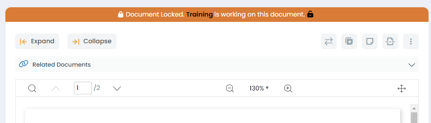
With this change, a document will be locked as soon as a user opens it in Merge/Split view. This prevents other users from making changes during the merge or split process.
Bug Fixes
E-Signed Tracking Form Appearing Unsigned
Previously, signed E-Sign tracking forms were appearing in Incoming Faxes with a new revision that did not include the E-Sign signature after going through Referral AI. These revisions were not accessible to users in the web client, making it appear as though the documents were unsigned.
What will change?
This issue has been fixed. Signed E-Sign tracking forms will no longer generate new revisions without the E-Sign signature, and users will now see the correctly signed documents in the web client and Incoming Faxes.
Orders Aging Report Showing Completed Documents
Previously, the Orders Aging Report in the Reports section displayed all orders, including completed documents. This caused the report to take longer to load.
What will change?
The Orders Aging Report will now only show orders that are still being tracked for signature, excluding statuses like Complete, Removed, or Expired.
Zoom Changing while Viewing Documents
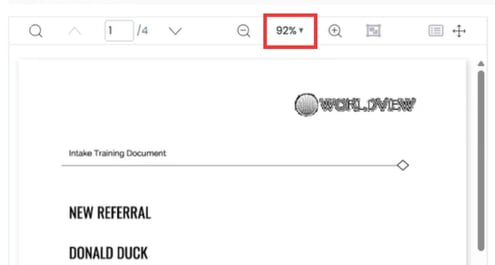
Previously, when viewing a document in the Inbox, the zoom level would sometimes change unexpectedly, making the document difficult to read.
What will change?
The zoom level will no longer change unexpectedly while viewing documents.