![worldview_logo_header_small.png]](https://worldviewltd.com/hs-fs/hubfs/WorldView%20Files/Images/Logo/worldview_logo_header_small.png?height=50&name=worldview_logo_header_small.png)
Features
File Size Column
Previously, users were unable to easily view the file size of documents from the Export queues of the Inbox.
What will change?
The File Size column will now be available in the Not Acknowledged, Holding for Attachment Receipt, and the Error queues.

Please Note:
- The File Size field is now automatically populated when a document enters the queue. Documents that were already in the workflow before this feature was added will not have a value in this field and will appear blank.
- The size shown may be slightly different from the size you see when you download the document.
- This column will be implemented on a per customer basis. For further details, please reach out to our support team or your Customer Success Manager.
Default by Order Lookup
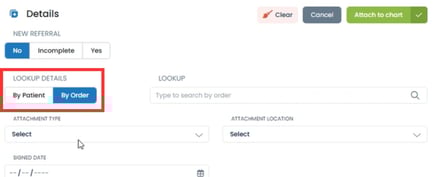
Previously, in the Signed Orders queue, when editing details, you had to manually select the lookup type by order when the order information wasn't prepopulated.
What will change?
The Signed Orders queue will now default to 'By Order Lookup' when no other information is present on the order.
Alphabetized Tags in Admin
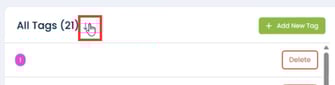
Previously, tags were visible on the admin page only in the order in which they were added.
What will change?
An 'Alphabetize' button will now be available to sort tags alphabetically in the admin list.
Additional functionality to alphabetize tags in the inbox is planned for a future update.
Assigning Tag and Owner During Document Upload
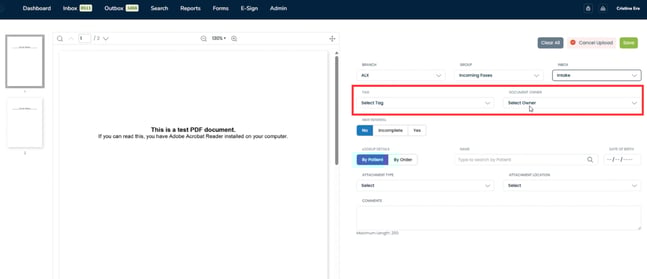
Previously, when uploading documents, you could not select a tag or assign a document owner.
What will change?
After selecting Branch, Group, and Inbox during the document upload process, you will now have the option to add a tag and/or assign a document owner.
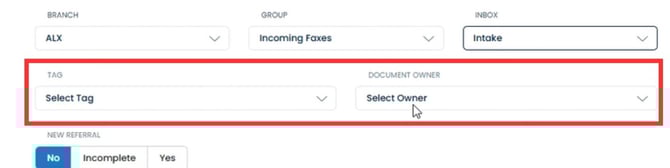
Please Note: Usernames will only display in the document owner dropdown if they have access to the selected queue.
Bug Fixes
Search Page Date of Birth
Previously, the Date of Birth field would overlap with the Lookup Patient field when on the Search page.
What will change?
The fields on the Search page will now display correctly.
E-Sign Entity Filtering
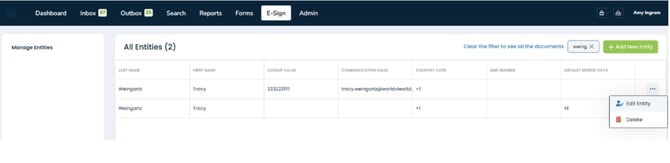
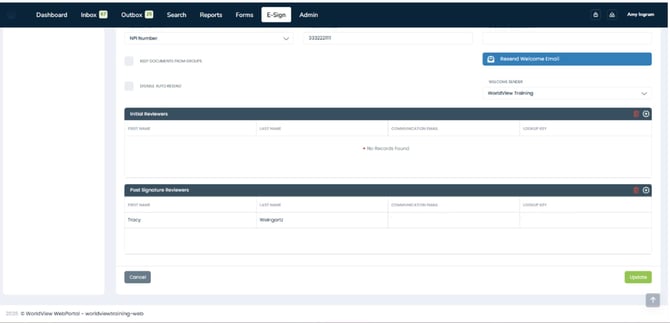
Previously, when using the filter box to search for an entity, the initial and post-signature reviewers would not appear when editing or viewing the entity.
What will change?
All relevant reviewers will display appropriately when editing/viewing an entity.
Blank Episode ID
Previously, Kantime customers experienced issues where some Medical Records ended up in the error queue and could not be attached.
What will change?
The information between WorldView and Kantime will now sync correctly.
Please Note: If any documents remain in the error queue and you are unsure how to clear them, please contact Support for assistance.