![worldview_logo_header_small.png]](https://worldviewltd.com/hs-fs/hubfs/WorldView%20Files/Images/Logo/worldview_logo_header_small.png?height=50&name=worldview_logo_header_small.png)
Features
Physician Notes Indicator in Outbox Queues
Previously, users reviewing documents in the Outbox could not easily tell whether the ordering physician on a document had notes on file without searching for the physician in WorldView.
What will change:
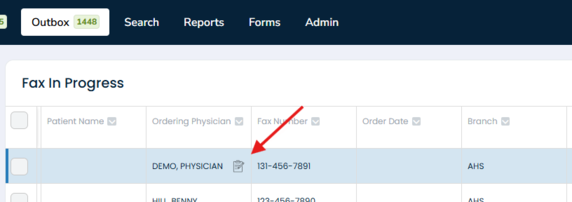
The Web Client now displays a “Notes” icon next to ordering physician names in the Outbox queues when that physician has notes on file. Hovering over the icon shows “Contains physician note.”
The new Related Items area, previously labeled Related Documents, includes a new Physician tab that displays physician locations and notes. This is available in all Outbox queues except E-Sign.
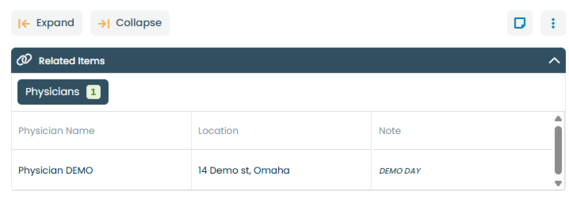
Please Note: This information pulls from the physician directory in the WorldView application, not your EMR. For information on using this feature, please contact Support or your Customer Success Manager.
Declined E-Sign Documents Routed to a Declined Queue
Previously, when a signer declined an E-Sign document, there was no dedicated queue for it, making declined documents harder to locate and report on.
What will change:
Declined E-Sign documents can now be automatically routed to a new Declined queue within the Outbox E-Sign Distribution Queues. Declined documents can also be found in the E-Sign declined report by date range. On a document with multiple signers, a single decline routes the document to the Declined queue.
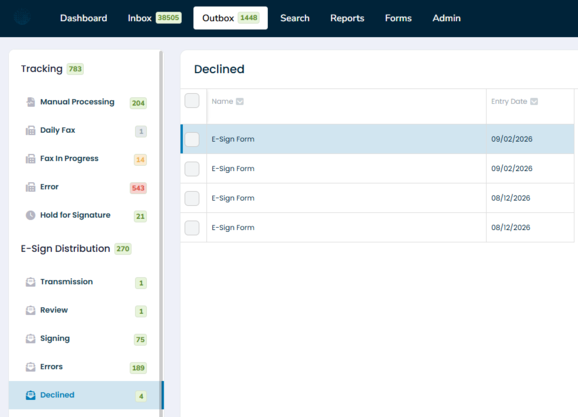
Please Note: If you'd like to enable this feature, please contact Support or your Customer Success Manager for assistance with configuration.
Episodes Sorted by Date in Inbox Queues
Previously, episodes associated with a patient's documents were not consistently ordered, making it difficult to identify the most recent or active episode.
What will change:
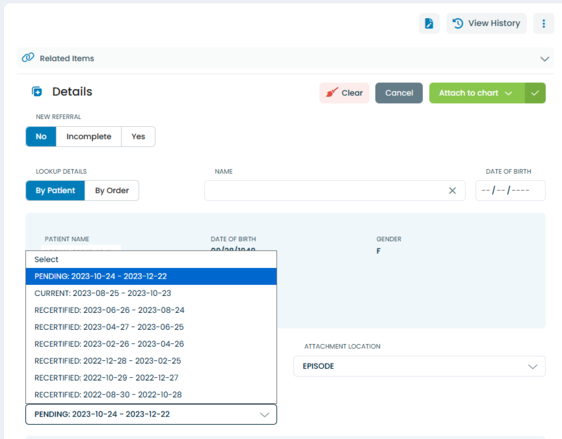
Episodes now appear with the most recent active episode first, unless a Pending episode is present, in which case it appears at the top. All remaining episodes are sorted by episode start date, with the most recent first, regardless of status.
Redesigned User Management Interface
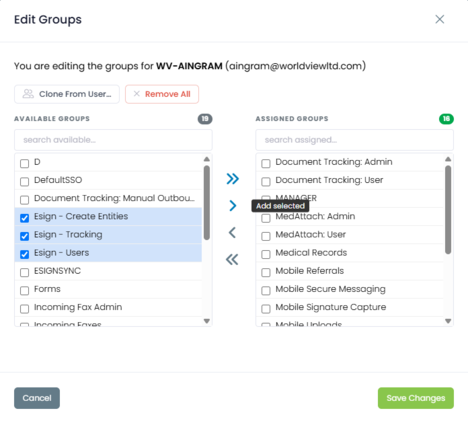
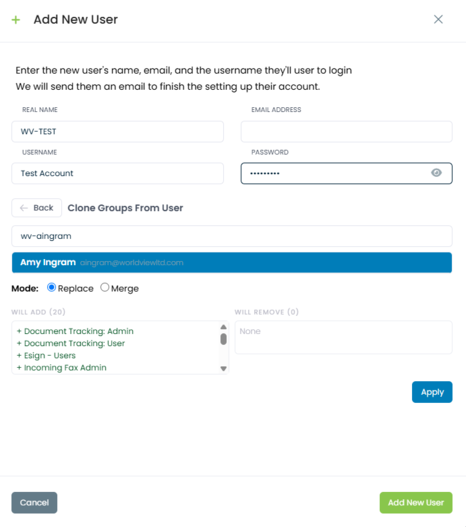
We’ve enhanced the User Management interface to make it more user-friendly and simplify common administrative tasks, including bulk group assignments and creating new users by copying an existing user’s permissions.
Editing Existing Users:
Adding New Users:
More Flexible Access to Locked Documents
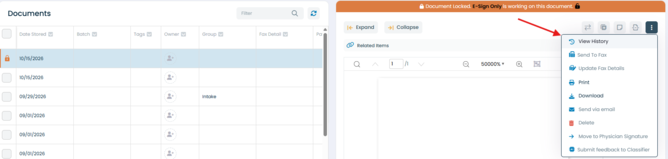
Previously, users could not perform any actions on a locked document, including viewing its history, printing it, or downloading it. These restrictions could delay work when multiple team members needed to reference the same document.
What will change:
Locked documents can now still be downloaded, printed, and have their history viewed while locked. All other actions remain restricted until the document is unlocked. If a selected batch includes both locked and unlocked documents, the system proceeds with the action for the unlocked documents and displays an error for the locked ones, giving teams more flexibility when multiple users are working in the system.
Bug Fixes
Physician Bulk Import Failing When Uploading
Previously, users importing a bulk list of physicians from the Admin page could encounter errors during upload.
What will change:
The Physician Bulk Import process has been fixed so files upload without error when the correct file template is used.
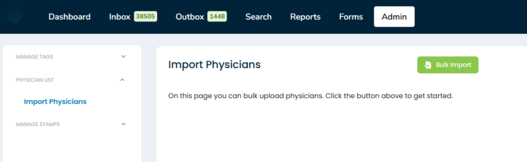
Please Note: A specific format is needed. Please contact Support or your Customer Success Manager if you need the file for import.
Blank Fax Pages After Page Deletion
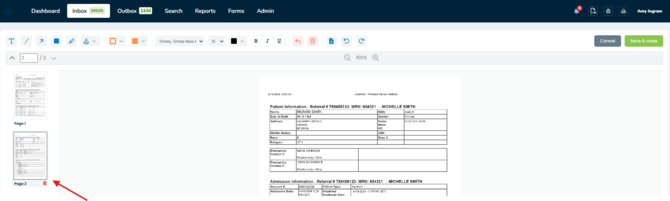
Previously, deleting a page using the Edit Document feature, particularly the last page, could cause blank or black pages to appear in the fax.
What will change:
Page deletion has been corrected so documents save with the correct number of pages and no longer display blank pages after a page, including the last page, is deleted.
Grouping for Blank Values
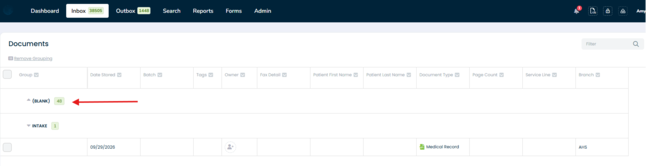
Previously, rows with blank values in a column were not displayed when users grouped by that column.
What will change:
When grouping by a column, all documents are now included, not just those on the page you’re viewing. Documents with blank values appear in a group labeled “(BLANK).” Your grouping settings remain in place when you switch queues or log out and back in. Column filters continue to work correctly alongside grouping and sorting.
E-Sign Reports Accessible Without “ESign-Users” Group Assignment
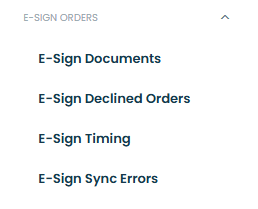
Previously, users without the “ESign - Users” group assignment could still access E-Sign Reports.
What will change:
Access to E-Sign Reports is now correctly restricted to users assigned to the “ESign - Users” group.
Missing Password Reset Notification
Previously, users whose password was reset by an administrator were not prompted to set a new password.
What will change:
Users are now prompted to change their password the first time they log in after an administrator resets it.
Outbox Loading Twice
Previously, the Outbox page could briefly load twice (“blink”) when navigating to it.
What will change:
The Outbox now loads once, without the repeated flash.